Fifteen seconds of charging gives you thirty minutes of use. That single fact about Apple Pencil charging is more useful than most guides acknowledge because it means that running low on battery mid-session is almost never an actual problem if you know about it. The Apple Pencil is designed around fast charging in a way that rewards users who understand how the battery works, and penalizes users who don’t with the frustrating experience of a dead stylus at the wrong moment. This guide covers charging methods across every current generation, battery habits that extend stylus longevity, and the accessories that actually make a difference.
Which Apple Pencil Do You Have Why It Matters for Charging?
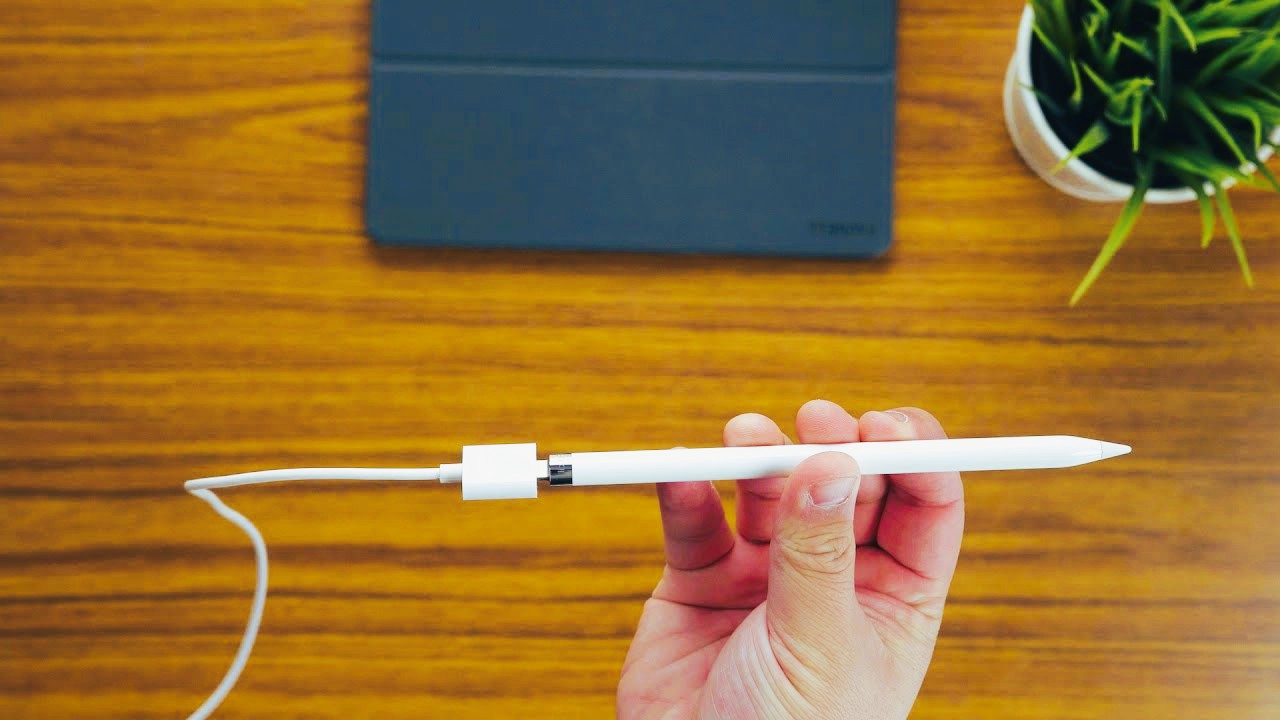
The charging method for your Apple Pencil depends entirely on which generation you own, and getting this wrong is more common than it should be given how different the approaches are. Apple currently sells four distinct Apple Pencil models, each with a different charging mechanism. The 1st generation Apple Pencil uses a Lightning connector hidden under a removable cap at the top of the stylus. You plug it directly into your iPad’s Lightning port awkward while in use, but functional or use the included Lightning adapter with a standard Lightning cable connected to any USB power source. This generation is compatible with iPad Pro models from 2015 to 2017, iPad Air 3rd generation, iPad mini 5th generation and the standard iPad 6th through 9th generation.
The 2nd generation Apple Pencil charges magnetically. You attach it to the flat magnetic connector on the side of a compatible iPad it snaps into place and begins charging immediately. No cables, no adapters, no removable caps. This generation works with iPad Pro 12.9-inch 3rd generation and later, iPad Pro 11-inch 1st generation and later, iPad Air 4th generation and later, and iPad mini 6th generation and later.
The Apple Pencil USB-C, released in 2023, includes a built-in USB-C connector under a sliding cap. You connect it directly to the USB-C port of a compatible iPad using a USB-C cable or plug. This model is the budget option in Apple’s current lineup and works with all USB-C iPad models. The Apple Pencil Pro, launched in 2024, uses the same magnetic inductive charging as the 2nd generation it attaches to the side of compatible iPad Pro M4 and iPad Air M2 models and charges automatically when connected. It adds hover detection, barrel roll support and a squeeze gesture that the 2nd generation doesn’t have.
How to Charge Apple Pencil Generation by Generation?
For the 1st generation, the direct plug-in method is the fastest but creates a physically awkward connection an Apple Pencil sticking horizontally out of the bottom of your iPad is not a stable situation for the Lightning connector. The adapter method is preferable for most charging situations: use the female-to-female Lightning adapter that came in the box, connect a standard Lightning cable, and plug into any USB power source including a wall adapter, computer USB port or power bank. This method keeps the Pencil stationary and is safer for the connector over time. For the 2nd generation and Pro, charging is genuinely frictionless. Attach the Pencil to the magnetic connector on the side of your iPad when you’re not using it in a meeting, between sketching sessions, while reading and it charges passively. The approach that works best for most users is treating magnetic attachment as the default resting position rather than something you do deliberately when the battery is low. Users who habitually set their Pencil on the desk rather than attaching it to the iPad will find themselves with a depleted stylus more often than those who make magnetic attachment automatic.
For the USB-C model, charging works through any USB-C cable connected to any power source. The convenience is decent but the experience is less seamless than the magnetic models you need a cable present and the sliding cap needs to be managed. For users who already have USB-C cables for their iPad, laptop and phone, this is a minor friction point. For users who prefer the clean no-cable workflow, the 2nd generation or Pro are worth the additional cost. For a detailed walkthrough of the 2nd generation charging process specifically, including troubleshooting steps when magnetic charging isn’t working, the Apple Pencil to charge guide covers the specific compatibility requirements and common issues that affect the 2nd generation’s magnetic charging reliability.
Stylus Battery Life What the Numbers Mean in Practice
All Apple Pencil generations are rated for up to 12 hours of usage on a full charge. That figure is based on typical use and will vary depending on the intensity of tasks continuous drawing with pressure sensitivity engaged consumes more power than occasional note-taking. For most users, 12 hours of active use is more than a full day of work, meaning that running out of battery mid-session is typically the result of not charging overnight rather than genuinely depleting a full charge during use.
When stored and not in use, the Apple Pencil loses approximately 5 to 10 percent of battery daily. A fully charged Pencil left on the desk for a week will have lost 35 to 70 percent of its charge. This passive discharge rate is why users who take their iPad out for occasional use after a period of inactivity often find the Pencil less charged than expected. For magnetic models, solving this is trivial attach the Pencil to the iPad whenever it’s not actively in use. For 1st generation users, building a habit of plugging in at the end of each day is the equivalent practice.
The fast charge capability 15 seconds for 30 minutes of use means that the practical floor for Apple Pencil charging is very low. If you realize your stylus is at 5 percent before a meeting, a 15-second connection to power gives you a functional tool for the session. A full charge takes approximately 10 to 30 minutes depending on power source. These are genuinely short charging windows compared to most portable electronics, which makes the Apple Pencil’s charging characteristics unusually forgiving.
Battery Health Habits That Extend Stylus Longevity
The Apple Pencil houses a non-replaceable lithium-ion battery. When the battery degrades significantly, the Pencil doesn’t get repaired it gets replaced. Habits that extend battery health therefore have direct economic value, not just convenience value. Lithium-ion batteries degrade faster when consistently drained to zero. Instead of waiting until the battery is completely depleted, recharge when it drops below 20 to 30 percent. For magnetic models, this happens automatically if you keep the Pencil attached to the iPad the magnetic connection provides a constant trickle charge that keeps the battery in a healthy mid-range state without requiring any deliberate management.
Temperature has a meaningful effect on battery performance and longevity. Avoid leaving the Apple Pencil in hot environments inside a car in summer is the most common problem scenario or in freezing conditions. The recommended operating temperature for Apple’s consumer electronics is 0 to 35 degrees Celsius. Exposure beyond that range reduces battery efficiency temporarily and, with repeated exposure to extremes, can cause permanent capacity reduction.
For extended storage days or weeks without use charge the Pencil to approximately 50 percent before storing rather than storing it fully charged or fully depleted. Partial charge storage is healthier for lithium-ion chemistry than either extreme. This matters more for 1st generation users who don’t have passive magnetic charging and are more likely to store the Pencil separately from the iPad.
Tech Accessories That Improve the Apple Pencil Experience
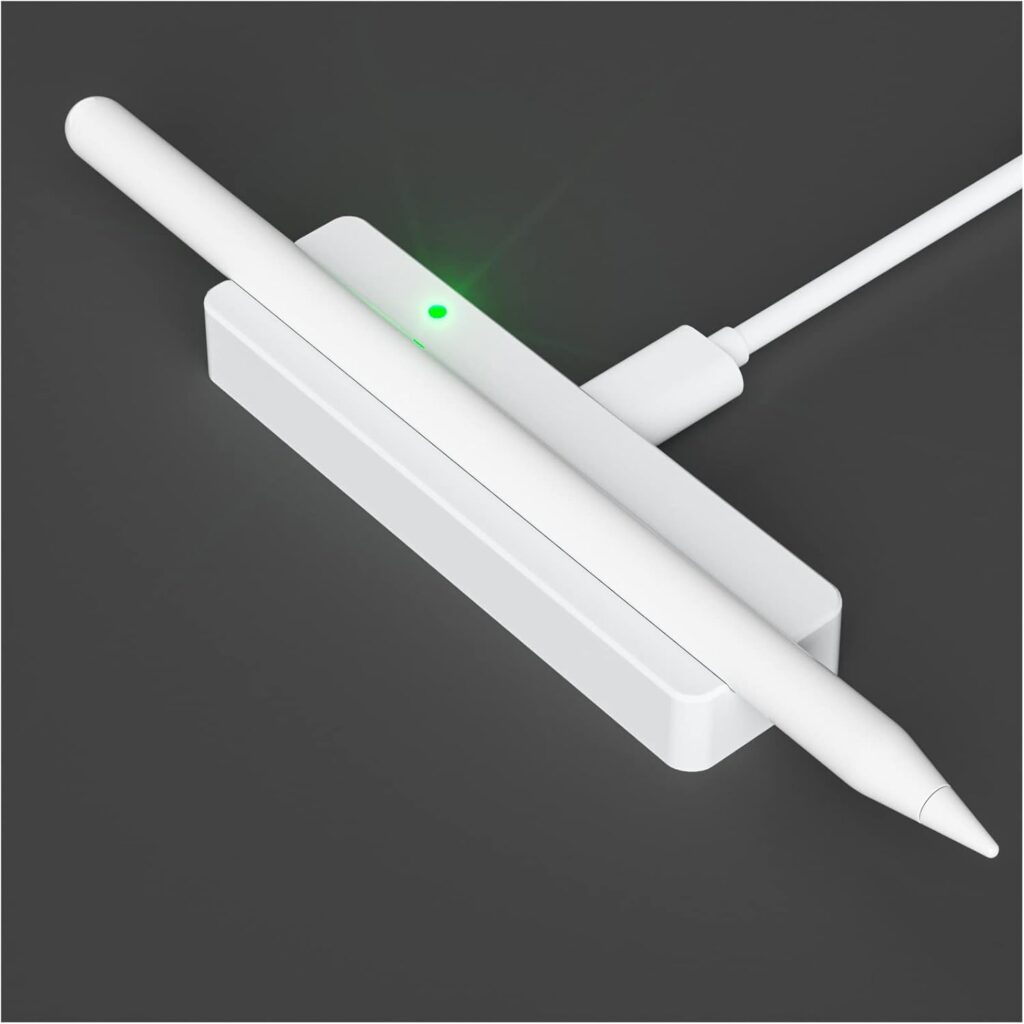
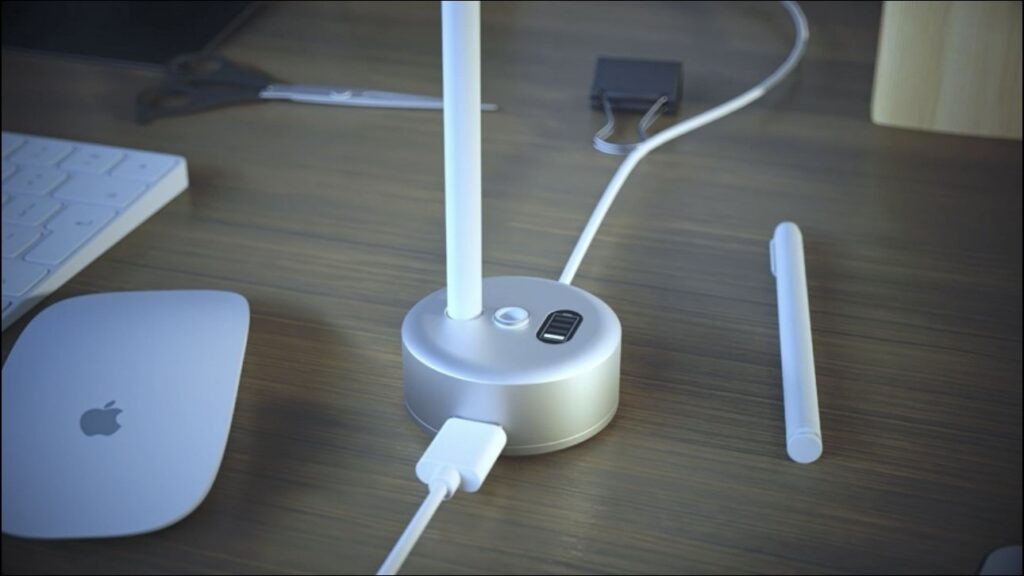
The Apple Pencil’s charging infrastructure is minimal by design, but a small set of accessories genuinely improves the ownership experience, particularly for 1st generation users who don’t have the magnetic convenience of newer models. A charging adapter for the 1st generation Lightning connector is worth owning as a spare. The original adapter that comes in the box is small enough to lose, and losing it means you’re back to the awkward direct plug-in method. Third-party equivalents are inexpensive and worth keeping in every bag or case where the iPad travels.
Apple Pencil cases and grips serve a function beyond protection. The stock Apple Pencil has a smooth cylindrical body that rolls off surfaces and provides no tactile feedback about orientation. Grip cases, particularly those with a flat edge, solve both problems simultaneously and make extended writing or drawing sessions more comfortable by reducing finger fatigue. For 2nd generation and Pro users, the magnetic attachment slot on compatible cases allows the Pencil to charge through the case if properly positioned though this depends on the specific case design. iPad stands and cases with dedicated Pencil holders make the habit of magnetic attachment easier to maintain. When the iPad is in a stand with a clearly designated Pencil slot, the action of putting the Pencil away naturally becomes attaching it to the iPad rather than setting it on the desk. That small environmental design choice has a larger effect on charging consistency than any deliberate behavioral effort. The tech accessories that work best for stylus battery maintenance are the ones that make good habits automatic rather than effortful.
Troubleshooting When Apple Pencil Charging Fails
When Apple Pencil charging isn’t working, the cause is almost always one of three things: a connectivity issue between the Pencil and iPad, a software glitch in the pairing, or debris on the connector or magnetic surface. For magnetic models, the most common cause of charging failure is dirt or debris on either the Pencil’s magnetic charging strip or the iPad’s corresponding connector. A dry microfiber cloth wiped along both surfaces resolves this in most cases. The magnetic connection requires clean contact a thin film of oil from fingers or pocket lint in the connector can interrupt the charging circuit without any visible indication that something is wrong.
If cleaning doesn’t resolve the issue, unpairing and re-pairing the Pencil through Bluetooth settings often resets any software-level connection problem. Go to Settings, Bluetooth, find the Apple Pencil under My Devices, tap the information icon and select Forget This Device. Then re-attach the Pencil to initiate pairing again. For 1st generation, the equivalent is removing the cap, plugging into the iPad’s Lightning port and waiting for the pairing prompt.
A restart of the iPad itself resolves temporary software glitches that can affect Pencil recognition. If charging still fails after cleaning, re-pairing and restarting, and the Pencil is within warranty, Apple Support or an Apple Store is the next step. Out-of-warranty charging failures in Apple Pencils are typically battery-related and often indicate that the lithium-ion cell has degraded to the point where it can no longer hold a useful charge at which point replacement rather than repair is the practical path forward.
